
RobloxTools.net
GuidesToolsBlogGame CodesScript HubSuggest Changes
GuidesToolsBlog
RobloxTools.net

The ultimate resource hub for Roblox players and developers.

Resources

  • Guides
  • Tools
  • Blog
  • Game Codes

Company

  • Advertise

Legal

  • Privacy Policy
  • Terms of Service
  • Cookie Policy

© 2026 RobloxTools.net. All rights reserved. Not affiliated with Roblox Corporation.

  1. Home
  2. /
  3. Codes
  4. /
  5. Escape Tsunami For Brainrots Codes
← Back to All Game Codes
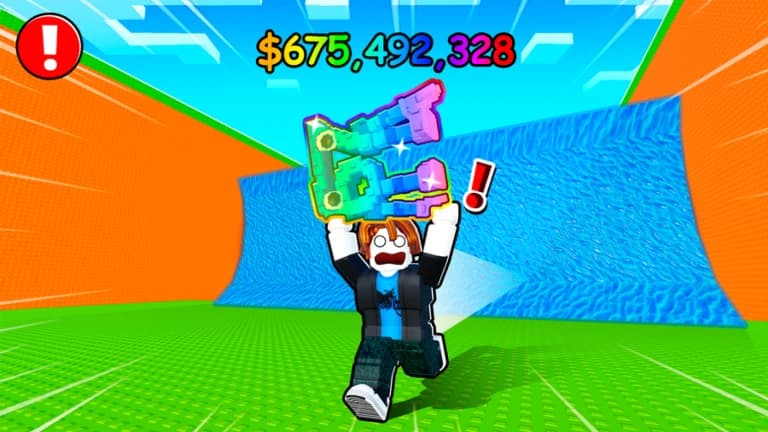
Escape Tsunami For Brainrots banner
Escape Tsunami For Brainrots

Escape Tsunami For Brainrots Codes

Updated Today400M+ PlayersTycoon

Active Codes

Currently no active codes

Check back later for new codes!

Recently Expired

Recently expired codes

No recently expired codes

How to Redeem

  1. Launch Escape Tsunami For Brainrots on Roblox
  2. Navigate to the game's menu or settings
  3. Look for a 'Codes' or 'Redeem' section
  4. Enter the code exactly as shown (case-sensitive)
  5. Click redeem and enjoy your rewards!
Fun fact:

Fun Fact: Escape Tsunami For Brainrots has over 400 million visits and combines fast-paced survival gameplay with relaxing tycoon mechanics!

About Escape Tsunami For Brainrots (Tycoon / Survival)

Dive into the chaotic world of Escape Tsunami For Brainrots, a thrilling tycoon game where survival meets strategy! In this addictive Roblox experience, players must run fast to collect Brainrots while dodging massive tsunamis that threaten to wipe out everything. Build and upgrade your Brainrot collection to maximize earnings, expand your base to accommodate more Brainrots, and watch your virtual empire grow even when you're offline. With over 400 million visits, this game combines fast-paced action with relaxing tycoon mechanics. Whether you're sprinting to safety or optimizing your Brainrot farm, Escape Tsunami For Brainrots offers endless fun for players of all ages. Join the Wave of Brainrots community for exclusive updates and free rewards!

How codes work in Escape Tsunami For Brainrots

As a relatively new game, Escape Tsunami For Brainrots hasn't released any promo codes yet. When codes become available, they'll likely be announced through the game's social media channels and Roblox group. Codes are typically redeemed through an in-game menu and provide various rewards like extra Brainrots, upgrades, or currency boosts.

Beginner tips

  • Time your Brainrot collection runs carefully - tsunamis can destroy everything if you're not quick!
  • Upgrade your Brainrots regularly to increase their earning potential and offline income
  • Expand your base as soon as possible to unlock more slots for additional Brainrots
  • Check back frequently to collect offline earnings and keep your progress growing
  • Join the official Wave of Brainrots group on Roblox for exclusive free rewards and updates

Progression tips

  • Focus on high-value Brainrots first when upgrading to maximize your money-making efficiency
  • Balance speed and safety - rushing too much might lead to losing your collected Brainrots
  • Save up for premium upgrades that provide passive income boosts
  • Connect with other players in the community for tips and strategies
  • Stay active during events for bonus multipliers and special Brainrot drops

How to redeem codes

  1. Open Escape Tsunami For Brainrots on Roblox
  2. Navigate to the game's menu or settings
  3. Look for a 'Codes' or 'Redeem' section
  4. Enter the code exactly as shown (case-sensitive)
  5. Click redeem and enjoy your rewards!

Frequently asked questions

Are there any Escape Tsunami For Brainrots codes right now?

As of January 2026, there are no active codes for Escape Tsunami For Brainrots. This is a newer game, so codes may be added in future updates.

Where will codes be announced?

Follow the Wave of Brainrots on social media and join their Roblox group for the latest announcements.

How do I earn Brainrots fast without codes?

Time your collection runs well, upgrade efficiently, expand your base, and collect offline rewards regularly.

Why didn't a code work for me?

Codes might be expired, mistyped, or not yet available. Always check the official sources for the latest codes.